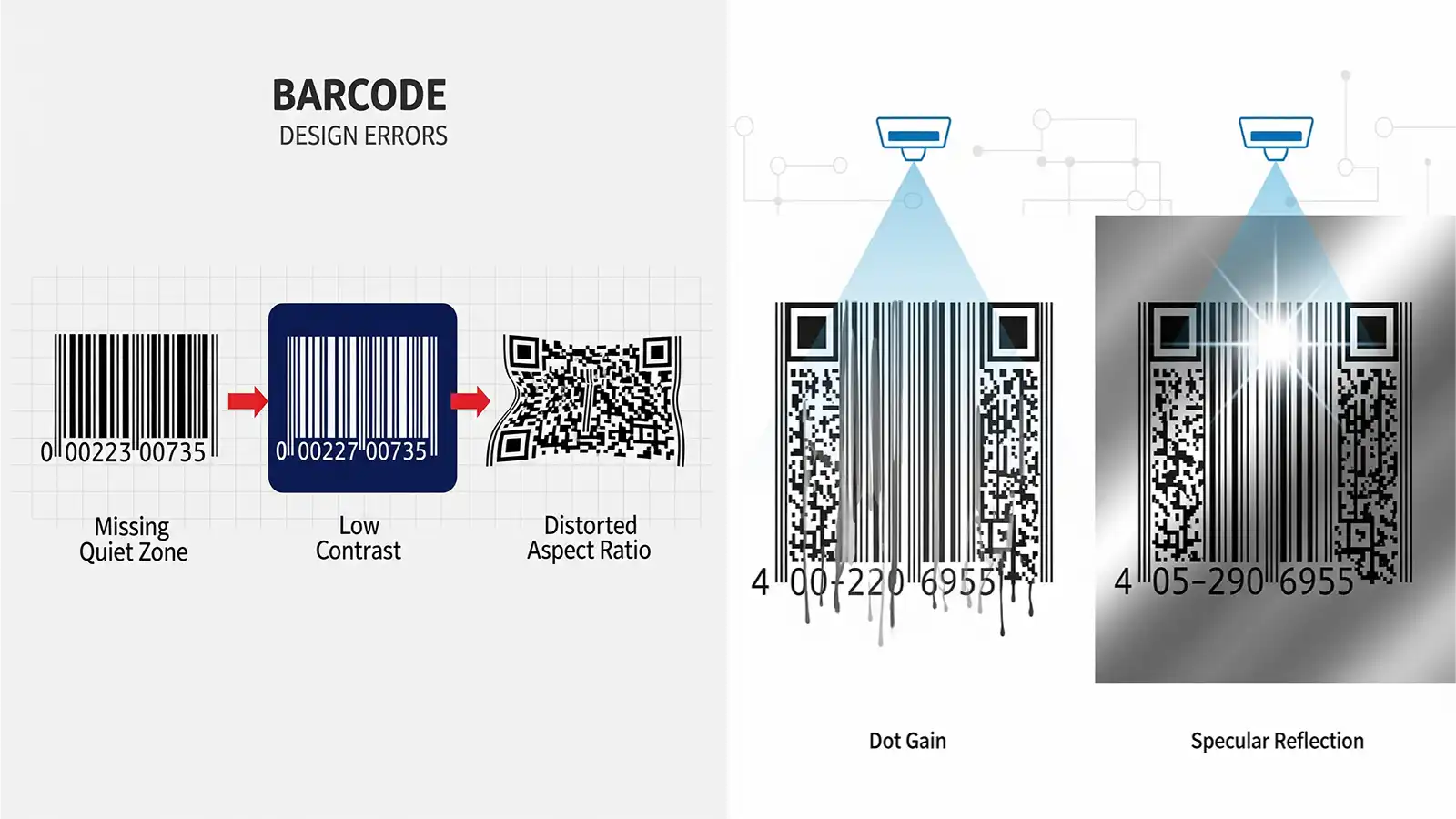
Design-Stage Mistakes
1) Insufficient Quiet Zone
Scanners need clear space to detect start and stop. Rule of thumb: quiet-zone width ≥ 10× the X-dimension (narrowest bar). Keep the area around the code clean.
2) Low Contrast
Scanners don’t read colors; they read dark bars vs. light background. The most reliable pairing: black bars on white. If you must print over color, place an opaque white box under the code.
3) Wrong Size or Aspect Ratio
Stretching/squeezing off-spec breaks bar/space proportions. For EAN-13 the typical scale is %80–%200. Avoid going below the minimum.
4) Problematic Color Choices
Most scanners use red light, which makes red bars appear “white.” A red-bar barcode is unscannable. Use dark bars (black/navy/dark green) on a light background (white/yellow).
Print & Material Issues
5) Poor Print Quality and Dot Gain
Low-resolution or uncalibrated printers blur edges; dot gain fills critical spaces. Fix with high-resolution digital print, regular calibration, and proper ink–substrate pairing.
6) Wrong Substrate and Glossy Surfaces
High-gloss/metallic stocks can cause specular reflection and “blind” the scanner. If unavoidable, add matte varnish; your converter should recommend a suitable material.
The Final Safeguard: Verification
Measure a quality grade (A–F) with a verifier per ISO/IEC 15416 (1D) and 15415 (2D). Major retailers often require at least Grade C. Verification removes risk before production.
Quick Checklist
- Quiet zone ≥ 10×X; no graphics nearby.
- High contrast (black/white); use an opaque white underlay if needed.
- Standard proportions; for EAN-13 stay within %80–%200.
- No red bars; use matte protection on glossy stocks.
- Regular printer calibration; test for dot gain.
- Obtain a verification report before mass run.
Bottom Line: The “Beep” Is a Necessity
A scannable barcode = correct design + print quality + material + verification. The cost of one bad code can exceed an entire roll of labels.
With ISO-compliant verification and production, Kodmark delivers barcodes that scan every time. Talk to our experts.
Related reading: VDP & Serial Codes · QR & AR Engagement · Food & Beverage Labels